
WhatsApp Business Automation: A 2026 Guide
Learn how WhatsApp business automation boosts response times, cuts costs, and drives sales. Practical steps to launch your first automated workflow.
WhatsApp Business Automation: A 2026 Guide
Over 2.8 billion people use WhatsApp every month, and Meta reports that businesses exchange more than 600 million messages daily on the platform. Yet most companies still reply manually, losing leads to slow response times. WhatsApp business automation closes that gap — turning the world's most popular messaging app into a 24/7 sales and support channel.
Why WhatsApp Automation Matters Right Now
Customer expectations have shifted permanently. A Harvard Business Review study found that companies responding within five minutes are 21× more likely to qualify a lead than those responding after 30 minutes. Manual replies can't hit that window consistently across time zones.
WhatsApp sits where your customers already spend their time. Unlike email, which averages a 20% open rate, WhatsApp messages see open rates above 90%. Automation lets you meet that attention with instant, relevant responses — without hiring a night shift.
The business case goes beyond speed. Automated workflows handle FAQs, qualify prospects, send order confirmations, and collect feedback. Each automated conversation frees your team to focus on complex, high-value interactions. Companies that adopt WhatsApp business automation typically cut first-response times from hours to seconds.
How WhatsApp Business Automation Works
The WhatsApp Business API — now called the WhatsApp Cloud API — provides the technical foundation. Unlike the free WhatsApp Business App, the API supports programmatic messaging, chatbot integrations, and multi-agent access.
A typical automation stack has three layers:
- Trigger: A customer sends a message or clicks a WhatsApp link on your website.
- Logic: A chatbot processes the message, identifies intent, and follows a predefined flow or uses AI to generate a response.
- Action: The system replies, tags the conversation, routes to a human agent, or updates your CRM.
Platforms like Andy Partner simplify the entire process. You design conversation flows visually, connect your WhatsApp number through the Cloud API, and deploy — no coding required. You can explore Andy's solutions to see how each layer fits together.
The API also supports message templates — pre-approved messages you can send outside the 24-hour customer service window. Templates work for appointment reminders, shipping updates, and re-engagement campaigns. Meta reviews each template before approval, ensuring compliance with WhatsApp's commerce policies.
Five Use Cases That Drive Real ROI
1. Instant Lead Qualification
A visitor clicks a WhatsApp link on your landing page. The chatbot asks three qualifying questions — budget, timeline, and company size — then routes hot leads to your sales team. Cold leads receive a helpful resource automatically.
One e-commerce brand using Andy's WhatsApp chatbot for lead capture increased qualified leads by 34% in three months while cutting manual screening time by half.
2. 24/7 Customer Support
Repetitive questions — order status, return policies, store hours — consume support agents' days. A WhatsApp automation flow handles these instantly. When the bot can't resolve an issue, a seamless handoff transfers the conversation to a live agent with full context.
3. Abandoned Cart Recovery
A customer adds items to their cart but doesn't check out. An automated WhatsApp message — sent within an hour — reminds them and offers a direct link to complete the purchase. Recovery rates through WhatsApp outperform email and SMS by 3–5×, according to Gartner's conversational commerce research.
4. Appointment Booking and Reminders
Service businesses — clinics, salons, consultancies — lose revenue to no-shows. Automated WhatsApp reminders reduce no-show rates by up to 40%. Customers confirm, reschedule, or cancel with a single tap. No phone calls. No back-and-forth emails.
5. Post-Sale Feedback Collection
After a purchase or service interaction, an automated message asks for a rating. Positive responders receive a review link. Negative responders get routed to a support agent before the complaint reaches social media.
Check out real customer results from businesses already running these workflows.
Setting Up Your First Automated Flow
Getting started doesn't require a development team. Follow these five steps:
Step 1: Choose a platform. Select a WhatsApp Business API provider that handles hosting, compliance, and chatbot building. Andy Partner offers all three in one dashboard — compare Andy with alternatives to evaluate your options.
Step 2: Connect your number. Register a dedicated business phone number through the Cloud API. Your provider walks you through Meta's verification process, which typically takes 1–3 business days.
Step 3: Design your flows. Map out the most common customer journeys. Start with two or three high-impact flows: a welcome message, an FAQ handler, and a lead qualifier. Keep each flow under ten steps to avoid drop-offs.
Step 4: Create message templates. Write templates for proactive outreach — order confirmations, appointment reminders, follow-ups. Submit them for Meta's approval. Clear, non-promotional language gets approved faster.
Step 5: Test and launch. Send test messages to your own phone. Check every branch of your flow. Monitor the first week's analytics closely, then refine based on completion rates and customer feedback.
You can see pricing and plans to find the right tier for your message volume and team size.
Measuring Success: Metrics That Matter
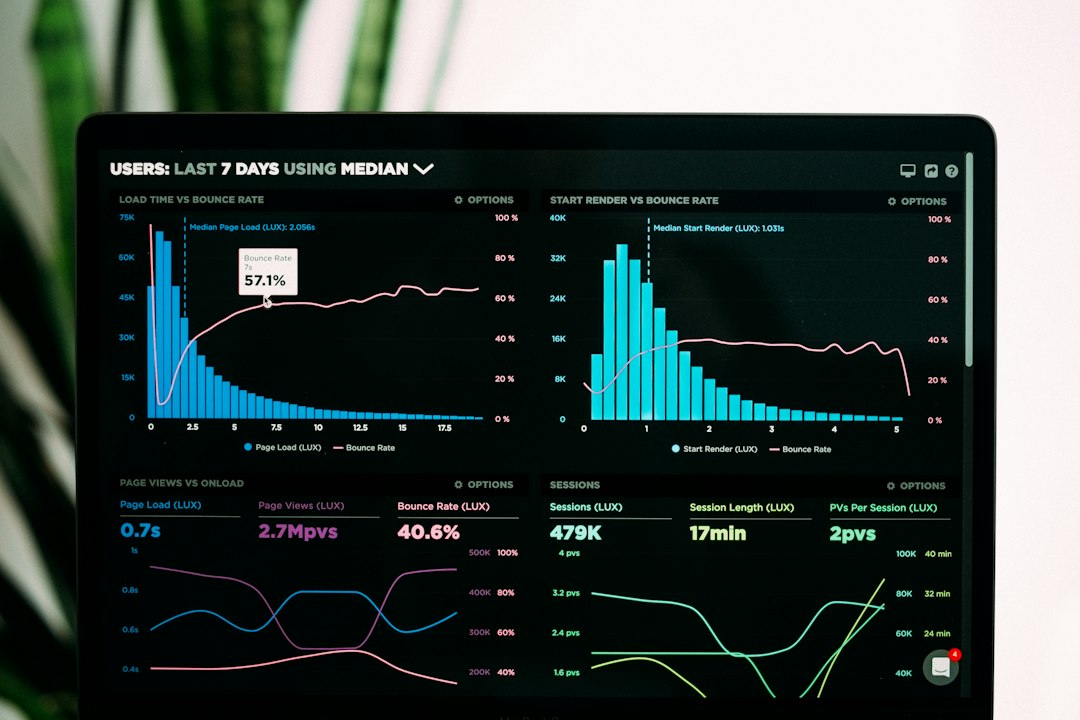
Launching automation is only the beginning. Tracking the right metrics ensures your flows improve over time.
Response time measures how quickly your bot replies. Aim for under five seconds. Anything slower feels broken to users accustomed to instant messaging.
Resolution rate tracks how many conversations the bot resolves without human intervention. A healthy benchmark sits between 60% and 80%. Below 60% signals gaps in your flow logic or training data.
Handoff rate shows how often the bot escalates to a human agent. Some escalation is healthy — complex issues deserve personal attention. A rising handoff rate, however, points to bot confusion or missing intents.
Conversion rate applies to sales-oriented flows. Track how many WhatsApp conversations result in a purchase, booking, or sign-up. A/B test different message copy and flow structures to push this number higher.
Customer satisfaction (CSAT) captures the human side. A quick post-conversation survey — "How helpful was this chat?" — reveals whether automation helps or frustrates your customers.
Key Takeaways
- WhatsApp business automation turns the world's most-used messaging app into a scalable sales and support channel.
- Automated responses within five minutes multiply your lead qualification rate by up to 21×.
- Five high-ROI use cases: lead qualification, 24/7 support, cart recovery, appointment reminders, and feedback collection.
- You can launch your first flow in days, not months — no coding required.
- Track response time, resolution rate, handoff rate, conversion rate, and CSAT to optimize continuously.
- Start with two or three flows, measure results, then expand.
Ready to Automate Your WhatsApp?
Every minute a lead waits for a reply, your competitor gets closer to closing the deal. WhatsApp business automation eliminates that delay and scales your team's reach without scaling headcount.
Start your free trial and deploy a WhatsApp-first agent in minutes. Get started with Andy Partner →
Topics in this story
Build conversations buyers love
Launch Andy in minutes to capture more qualified pipeline with AI conversations that feel natural.